




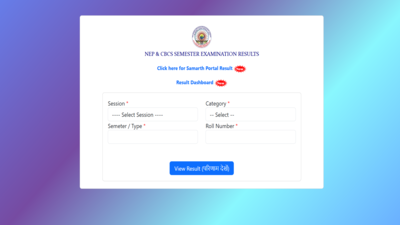
Rajju Bhaiya University result 2026: Prof. Rajendra Singh (Rajju Bhaiya) University has announced the results for several undergraduate final semester examinations, allowing students to access their scorecards online. Candidates who appeared for the BA, BSc, and BCom 6th Semester examinations can now check and download their results through the university’s official website.The result portal has been activated for students to view their marks and download a provisional marksheet by logging in with their roll number.
BA, BSc and BCom 6th Semester results released
Prof. Rajendra Singh (Rajju Bhaiya) University released the BA 6th Semester, BSc 6th Semester, and BCom 6th Semester results on June 25. Students who appeared for these examinations can now access their results by visiting the official website, prsuniv.ac.in.The university has made the online scorecards available for download, enabling candidates to obtain a PDF copy of their marksheet for future reference.The university continues to announce results for various undergraduate and postgraduate semester examinations in phases. The latest declaration includes the BA, BSc and BCom 6th Semester examinations.
Rajju Bhaiya University result 2026: Steps to download scorecards
Candidates can follow the steps elucidated here to download the Rajju Bhaiya University result 2026 on the official website:
- Go to the official website, prsuniv.ac.in.
- Click on the Result section available on the homepage.
- Select the Session 2025-26 option.
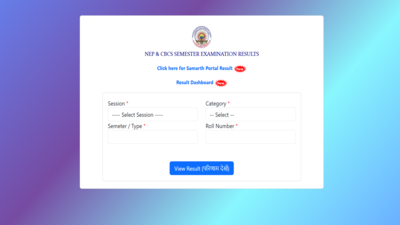
- Enter the required details, including Session, Semester/Type, Category and Roll Number.
- Click on the View Result button.
- The marksheet will be displayed on the screen.
- Download the PDF and take a printout for future use.
Alternatively, candidates can click on the link provided here to download the Rajju Bhaiya University result 2026.Aspirants are advised to stay tuned to the official website to get the latest updates related to the Rajju Bhaiya University result 2026.