





Karnataka 2nd PUC result 2026: The Karnataka School Examination and Assessment Board (KSEAB) has declared the Karnataka II PUC Result 2026 on April 9 at 3 PM. Around 7.10 lakh students have appeared for the test this year. These tests have been held from February 28 to March 17, 2026. Among all the streams, the Science stream has reported the maximum number of students, i.e., 2.92 lakh, followed by Commerce with 2.11 lakh and Arts with 1.42 lakh students. The result declaration, which was initially scheduled early in the week, was postponed owing to the code of conduct during elections.
Karnataka 2nd PUC result 2026: Steps to download
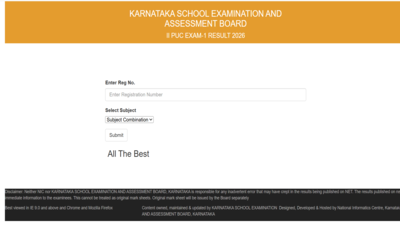
Students can now access their marks through a multi-platform system designed to minimise technical disruptions and ensure seamless access.Official Website (Primary Mode)The results download site continues to be the first choice of students in accessing the results.
- Go to the official site
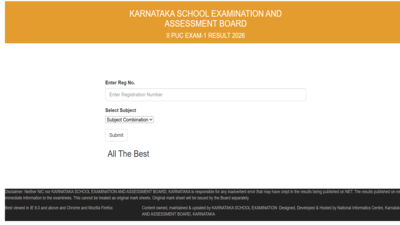
karresults.nic.in - Navigate to Karnataka II PUC Result 2026 link
- Fill in the registration number and other credentials
- Submit
- Obtain the results and save a copy of the marksheet
It is recommended that students should have their credentials handy beforehand to avoid any last-minute problem in logging in due to excessive traffic.DigiLocker (Digital Marksheet for the First Time)As part of its effort toward digitization, KSEAB has come up with the DigiLocker facility for downloading digital marksheets for this year.Steps to download from DigiLocker:
- Go to www.digilocker.gov.in or open DigiLocker app
- Log in using your mobile number or Aadhaar linked credentials
- Navigate to Education section
- Select Karnataka School Examination and Assessment Board
- Proceed to download II PUC Marksheet 2026
Students can click on the link provided here to download the Karnataka 2nd PUC result 2026.UMANG App (Unified Mobile Access)Students can also access their results via the UMANG (Unified Mobile Application for New-age Governance) app, expanding accessibility across mobile platforms.Steps to check via UMANG:
- Download or open the UMANG app
- Log in using your registered credentials
- Search for KSEAB or Karnataka PUC Result
- Enter your registration number and details
- View and download your result